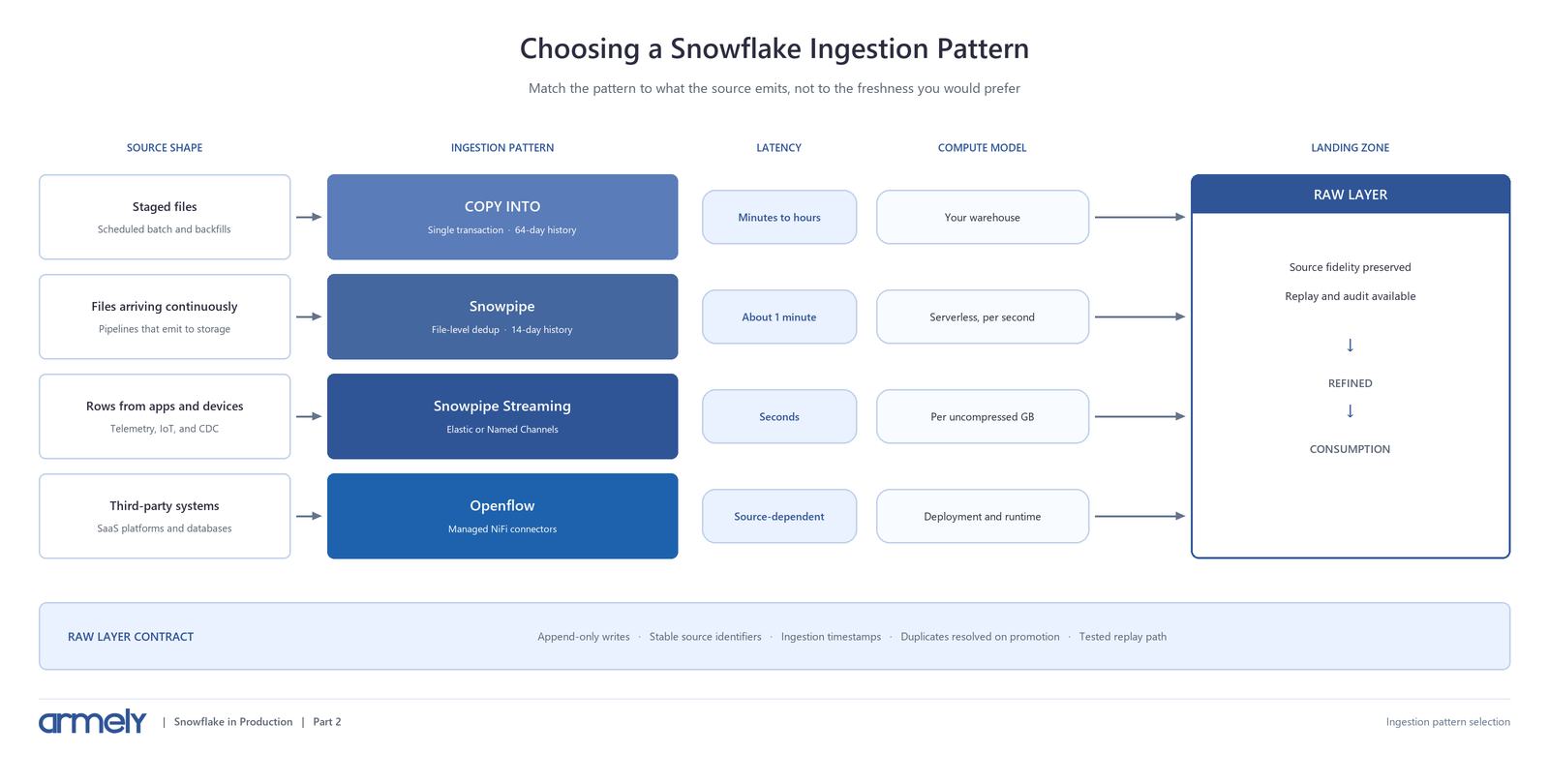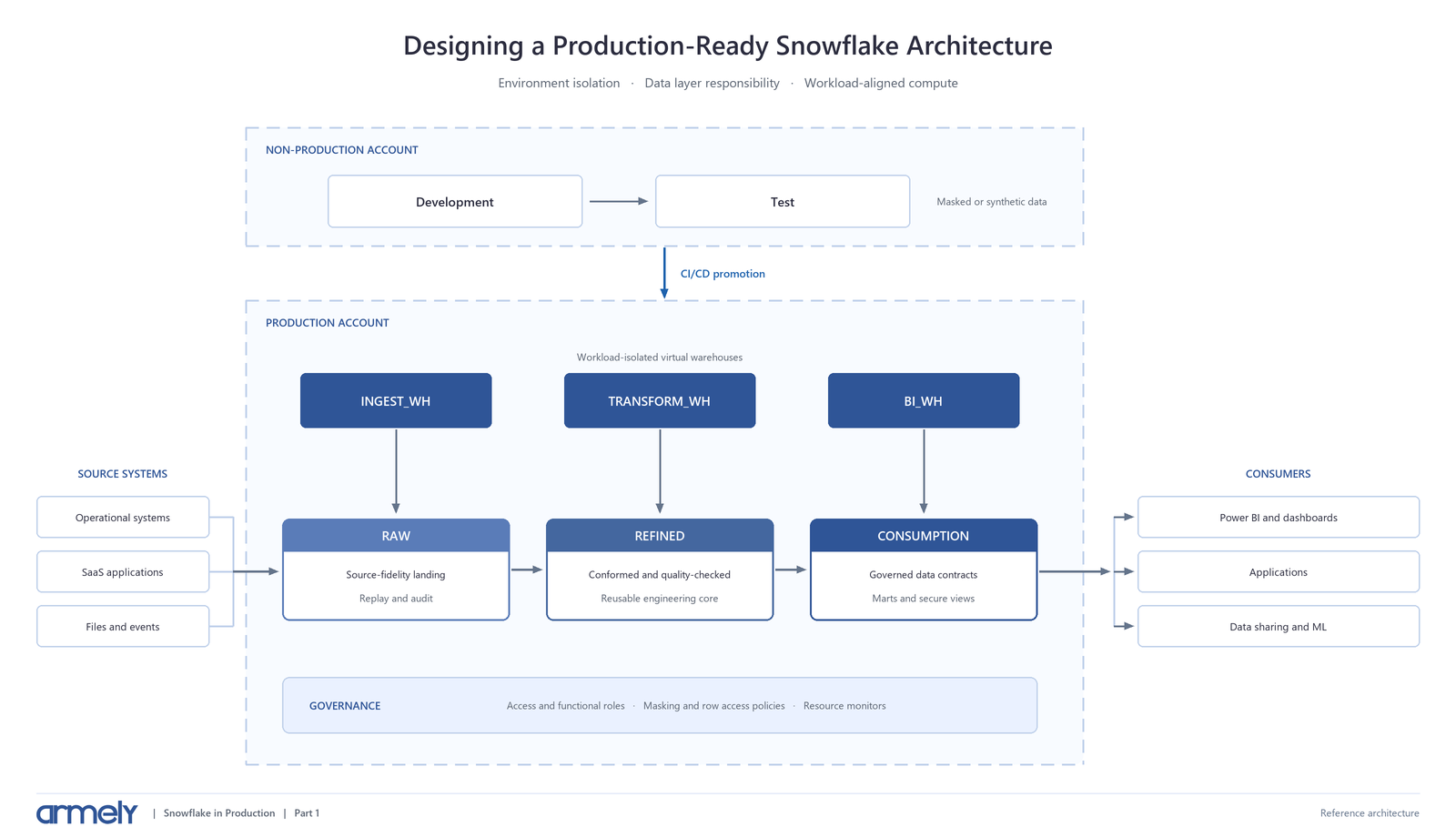
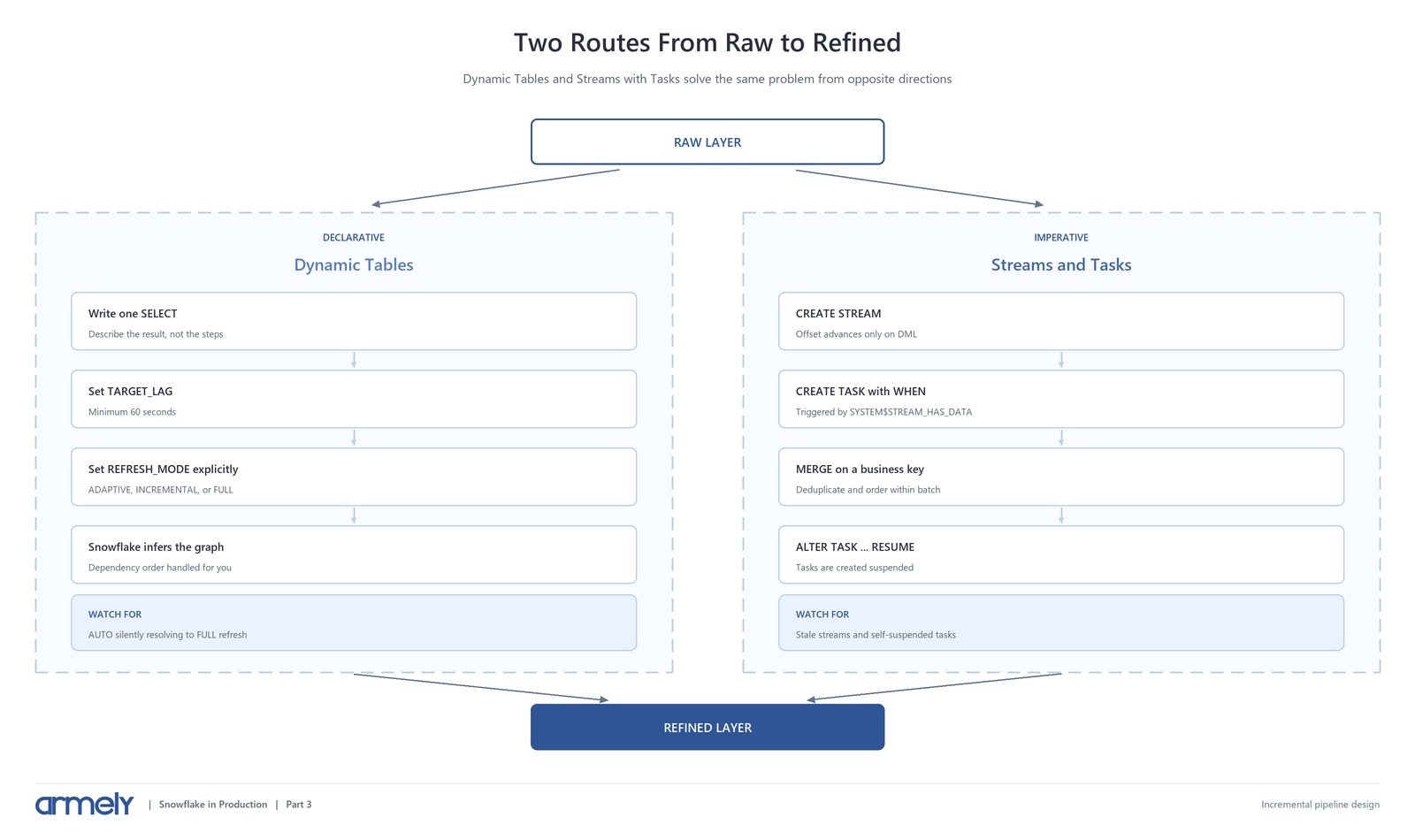

Once data lands in the raw layer, something has to move it forward.
Snowflake offers two native approaches, and the choice is usually framed as a feature comparison. That framing misses the point. Dynamic Tables and Streams with Tasks are opposite philosophies: one declarative, one imperative.
Declarative means you describe the result and let Snowflake maintain it. Imperative means you describe the steps and own the orchestration. Both build working pipelines. They differ sharply in how much control you hold and in how they fail.
This article covers that decision, a working example of each, and the failure modes that make pipelines unreliable. It continues from Part 2, where data arrived in a raw layer designed to be append-only and replayable.
Dynamic Tables: Declarative Pipelines
A Dynamic Table materializes a SELECT query and keeps it current. You specify the query and a target lag; Snowflake infers dependencies, orders refreshes, and applies results atomically so readers never see a partial state.
|
CREATE OR ALTER DYNAMIC TABLE refined.core.orders |
When Dynamic Tables read from each other they form a pipeline. You never declare the dependency graph or script execution order. Snowflake derives it from the queries and picks a consistent snapshot so downstream tables see coherent inputs.
The minimum target lag is 60 seconds. If you need sub-minute freshness, Dynamic Tables are the wrong tool.
Refresh Modes Are the Real Decision
Target lag gets the attention, but refresh mode determines cost and reliability.
|
Mode |
Behavior |
Use when |
|
ADAPTIVE |
Incremental by default; automatically reinitializes when incremental would cost more |
Preferred for most incremental workloads |
|
INCREMENTAL |
Processes only changed rows |
Append-heavy sources with small change volumes |
|
FULL |
Re-executes the whole definition |
Unsupported constructs or high change rates |
|
AUTO |
Resolves to INCREMENTAL or FULL once, at creation |
Exploration and prototyping only |
|
CUSTOM_INCREMENTAL |
You define refresh logic with MERGE or INSERT |
Transformations the standard modes cannot express |
ADAPTIVE is the mode most teams should reach for. It runs incrementally but detects when a bulk change - an INSERT OVERWRITE or a large delete - makes a full rebuild cheaper, reinitializes, then resumes incremental refreshes. Point reinitializations at a larger warehouse with INITIALIZATION_WAREHOUSE so routine refreshes stay small.
`AUTO` deserves a specific warning. It evaluates your definition once at creation and locks in the result. Two consequences follow. If the definition contains something incremental refresh cannot handle, AUTO silently resolves to FULL and you pay full-rebuild costs on every refresh without an obvious signal. And if an upstream view is later modified so incremental refresh is no longer possible, refreshes fail rather than quietly switching.
Set the mode explicitly in production. Verify what you actually got:
|
SHOW DYNAMIC TABLES LIKE 'ORDERS' |
A populated refresh_mode_reason tells you incremental refresh was rejected and why, such as an unsupported EXCEPT or PERCENTILE_CONT. Some computations genuinely require seeing every row - an exact median shifts when a single row arrives - and those must run as FULL.
Refresh mode also cannot be changed with ALTER. Switching requires CREATE OR ALTER or CREATE OR REPLACE, and replacing a Dynamic Table triggers reinitialization for it and everything downstream.
Streams and Tasks: Imperative Pipelines
A Stream records row-level changes to a source object. A Task runs SQL on a schedule or in response to a condition. Together they give you explicit control over what gets processed and when.
The single most misunderstood behavior in Snowflake pipelines lives here:
A stream's offset advances only when it is consumed inside a DML transaction. Querying a stream to inspect it does not advance anything. The offset moves when the stream feeds an INSERT, MERGE, CTAS, or similar statement that commits successfully.
This is what makes exactly-once processing achievable: if the transaction rolls back, the offset stays put and the change records remain available.
Choose the stream type deliberately:
- Standard tracks inserts, updates, and deletes, joining them into a net delta. A row inserted and then deleted between two offsets disappears entirely.
- Append-only tracks inserts only and is meaningfully faster for ELT. It is also the recommended type for geospatial data, which standard streams cannot track.
- Insert-only applies to external and externally managed Iceberg tables.
Pair a stream with a triggered task so you process on arrival rather than polling:
|
CREATE STREAM raw.ingest.orders_stream |
Three things in that example are doing real work.
The QUALIFY ROW_NUMBER() collapses multiple changes to the same key within one batch, so the MERGE sees one row per business key. Without it, a key that changed twice between runs produces a non-deterministic result.
The ingested_at comparison makes the merge safe against late-arriving data. An older record arriving after a newer one will not overwrite current state.
SUSPEND_TASK_AFTER_NUM_FAILURES stops the task burning credits on repeated failures - but note what that means operationally. The pipeline stops silently. Without monitoring, the first symptom is stale data days later.
Tasks are created suspended. ALTER TASK ... RESUME is not optional, and it is a common omission.
Which Approach to Use
|
Factor |
Dynamic Tables |
Streams and Tasks |
|
Model |
Declarative |
Imperative |
|
Orchestration |
Snowflake infers the graph |
You define dependencies |
|
Minimum freshness |
60 seconds |
Seconds, limited by schedule |
|
Merge logic |
Managed for you |
You write the MERGE |
|
Procedures and external functions |
Not supported in definitions |
Fully supported |
|
Multi-step branching logic |
Not available |
Task graphs with conditions |
|
Operational burden |
Low |
Higher |
|
Debuggability |
Refresh history |
Full query-level control |
Choosing between declarative and imperative pipelines
|
Transformation shape |
Deciding question |
Approach |
|
Expressible as a single SELECT |
Freshness of 60 seconds or more |
Dynamic Table with explicit refresh mode |
|
Expressible as a single SELECT |
Freshness under 60 seconds |
Streams and Tasks |
|
Needs procedures, branching, or external calls |
Procedural control required |
Streams and Tasks |
|
Complex SQL that incrementalizes |
Supported constructs only |
Dynamic Table — ADAPTIVE or INCREMENTAL |
|
Complex SQL that does not incrementalize |
Unsupported constructs present |
Dynamic Table — REFRESH_MODE = FULL |
The practical default: start with Dynamic Tables. If the logic fits a SELECT, the declarative approach eliminates orchestration code you would otherwise own forever. Reach for Streams and Tasks when you need stored procedures, conditional branching, external calls, sub-minute latency, or precise control over the merge.
Mixing both is normal.
Designing for Idempotency
An incremental pipeline is reliable when rerunning it produces the same result as running it once.
Three practices get you most of the way:
Merge on a stable business key. Insert-only pipelines accumulate duplicates on replay. A MERGE keyed on a durable identifier converges to the same state however many times it runs.
Carry an ordering column. An ingestion or source timestamp lets you reject stale updates. Without it, out-of-order arrival silently corrupts current state — and as covered in Part 2, Snowpipe does not guarantee load order and Elastic Channels are explicitly at-least-once.
Deduplicate within the batch. A single stream read can contain several changes to one key. Collapse them before the merge.
For late-arriving data, decide what "late" means for your business. Rejecting records older than current state is right for current-state tables and wrong for an event log where completeness matters more than order.
How These Pipelines Actually Fail
Streams go stale and lose data. A stream becomes stale when its offset falls outside the source table's data retention period. At that point, unconsumed change records are gone and the stream must be recreated.
Snowflake provides a safety net: if retention is under 14 days and the stream has not been consumed, retention is temporarily extended up to MAX_DATA_EXTENSION_TIME_IN_DAYS — 14 days by default, configurable to 90. That extension costs storage. Monitor it:
|
SHOW STREAMS IN DATABASE raw |
Also note that CREATE OR REPLACE TABLE on a source drops its history and makes every stream on it stale. So does dropping and recreating an object with the same name, which does not relink existing streams.
Scheduled runs are skipped, not queued. Snowflake runs one instance of a scheduled task at a time. If a run is still going at the next scheduled time, that time is skipped. A task that slows past its interval quietly halves its own frequency.
Tasks suspend themselves and stay suspended. After SUSPEND_TASK_AFTER_NUM_FAILURES consecutive failures, the task stops. Nothing resumes it.
Dropping an owner role pauses the pipeline. Ownership transfers to the role that dropped it and the task is paused until someone resumes it.
One stream, many consumers. A stream advances its offset when any consumer commits DML, making that change data unavailable to the next consumer. Create a separate stream per consumer. Streams store only an offset, so extra streams cost almost nothing.
Monitoring That Catches These
Alert on pipeline health, not just job success.
|
-- Dynamic Tables: refreshes that failed or reinitialized unexpectedly |
Four signals are worth alerting on: any suspended task that should be running, any stream approaching its STALE_AFTER timestamp, growing queue time between SCHEDULED_TIME and QUERY_START_TIME, and actual lag exceeding target lag on Dynamic Tables.
Alert on data freshness too. The most reliable detector of a broken pipeline is a business-level check that the newest row is older than it should be.
When to Use dbt or an Orchestrator
Native Snowflake features handle scheduling and dependency resolution well. They do not handle everything.
Reach for dbt when you want version-controlled transformation logic, testing, documentation, and environment promotion in one workflow. dbt can manage Dynamic Tables directly, so this is not an either-or choice.
Reach for an orchestrator such as Airflow when pipelines span systems - when a Snowflake transformation must wait on an upstream job, trigger a downstream API, or coordinate with non-Snowflake infrastructure. Setting SCHEDULER = DISABLE hands refresh control to that external tool.
Stay native when the work begins and ends in Snowflake. Adding an orchestrator to run three dependent transformations adds infrastructure without adding capability.
Pipeline Readiness Checklist
- Refresh mode is set explicitly on every Dynamic Table, not left at AUTO.
- refresh_mode_reason has been checked for unintended FULL resolution.
- Target lag reflects a stated business requirement.
- Merge logic is keyed on a stable business identifier.
- Batches are deduplicated before merging.
- An ordering column protects against late-arriving data.
- Stream type matches the workload; append-only used where deletes are irrelevant.
- Each consumer has its own stream.
- Stream staleness is monitored against STALE_AFTER.
- Every task has been resumed and is confirmed running.
- SUSPEND_TASK_AFTER_NUM_FAILURES is set and suspension raises an alert.
- Task queue time and Dynamic Table lag are monitored for drift.
- A freshness check exists on at least one business-critical table.
- Pipelines run under a dedicated service identity and transformation warehouse.
Practical Recommendation
Default to Dynamic Tables with an explicit ADAPTIVE or FULL refresh mode. They remove orchestration code, infer dependencies, and refresh atomically. Reserve Streams and Tasks for logic that genuinely needs procedural control: stored procedures, branching, external calls, or sub-minute latency.
Whichever you choose, design for rerunnability: merge on stable keys, deduplicate inside the batch, carry an ordering column, and monitor the silent failures.
Incremental pipelines rarely fail loudly. They drift, skip, and suspend. The reliable ones belong to teams that instrumented those quiet failures first.
Modernizing Snowflake transformation pipelines? Armely builds incremental pipelines that are idempotent, observable, and cost-predictable as data volumes grow. Explore Armely's data services or contact our team.
Continue the Series
Previous: Choosing the Right Snowflake Ingestion Pattern
Next: Snowflake Performance and Cost Optimization in Practice