Invite On-Demand
Type @mela please join in your meeting chat to start taking notes.
AI answers may be inaccurate. Please don't share sensitive information.
Mela automatically transcribes, assigns tasks directly in Planner, and emails structured recaps so your team stays focused on execution
Requires Teams Admin consent • Fast, guided 10-min setup
@mela Chat Commands
100% Native M365 Integration
Capture 100% of meeting commitments and create tasks without requiring video or audio recordings.
@mela please join when business begins, and @mela please leave when private chatter starts.
Type @mela please join in your meeting chat to start taking notes.
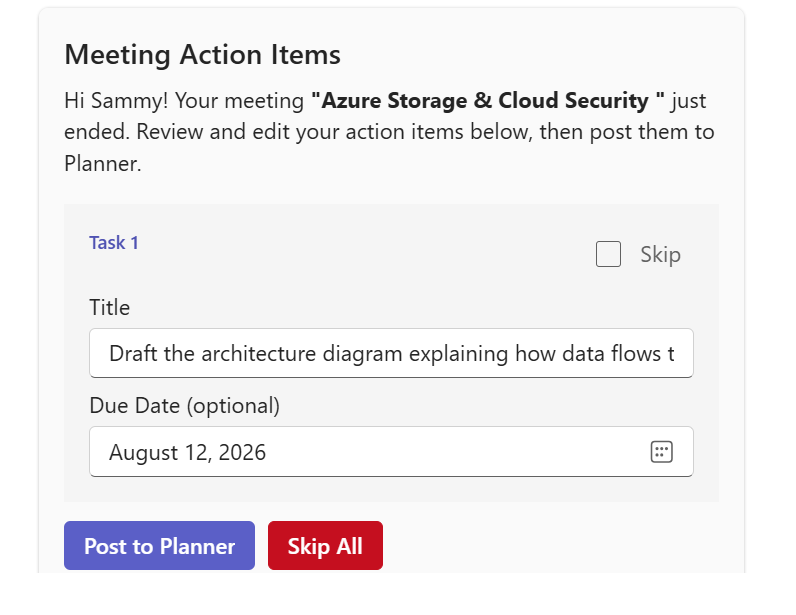
Mela delivers an interactive card in chat immediately as the call wraps up.
Refine titles, pick due dates, and hit “Post to Planner.”
All attendees receive a full meeting summary email in Outlook instantly.
Type @mela please leave respectifully leaves the meeting and stops recording.
Type @mela pause recording or @mela unpause recording
Type new email, invitation, or sample message.
Reads your daily meetings, weekly and past meetings.
See how Mela supports your team before, during, and after a meeting.
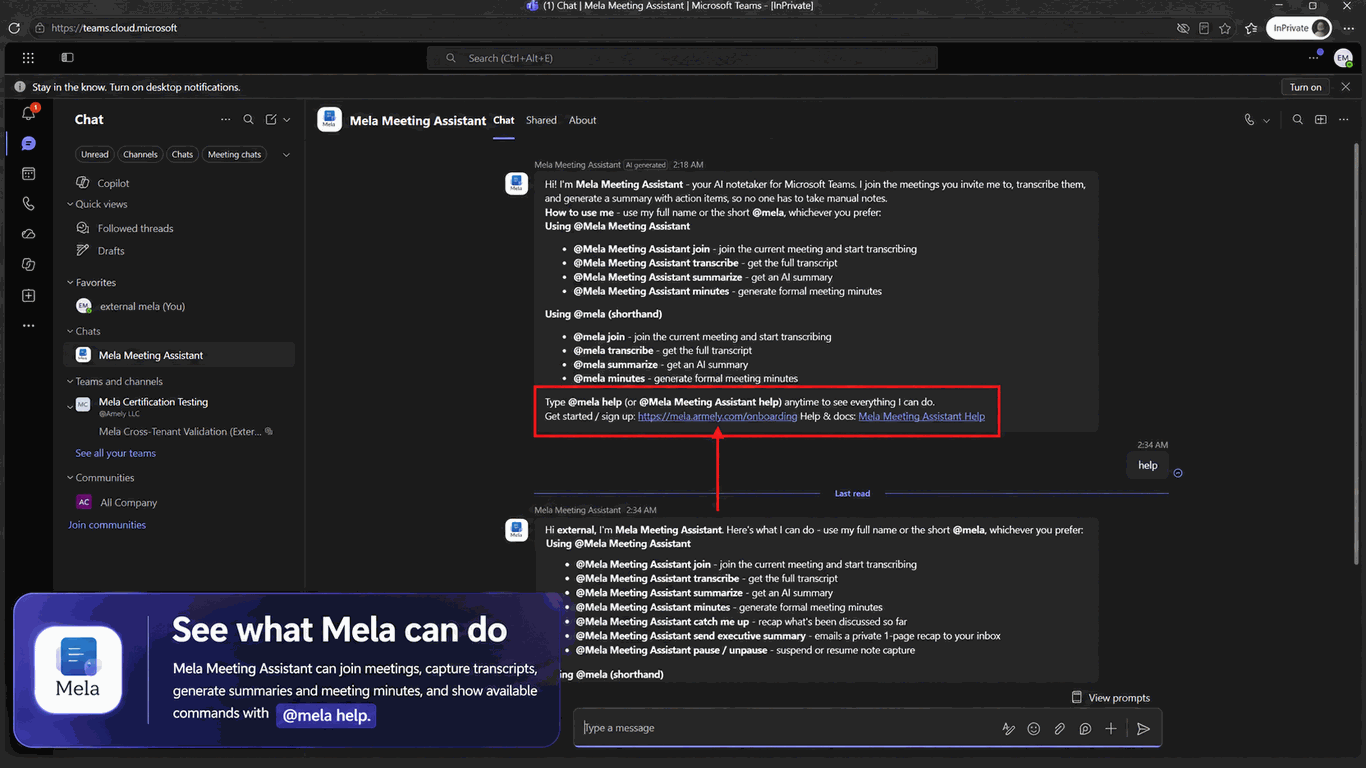
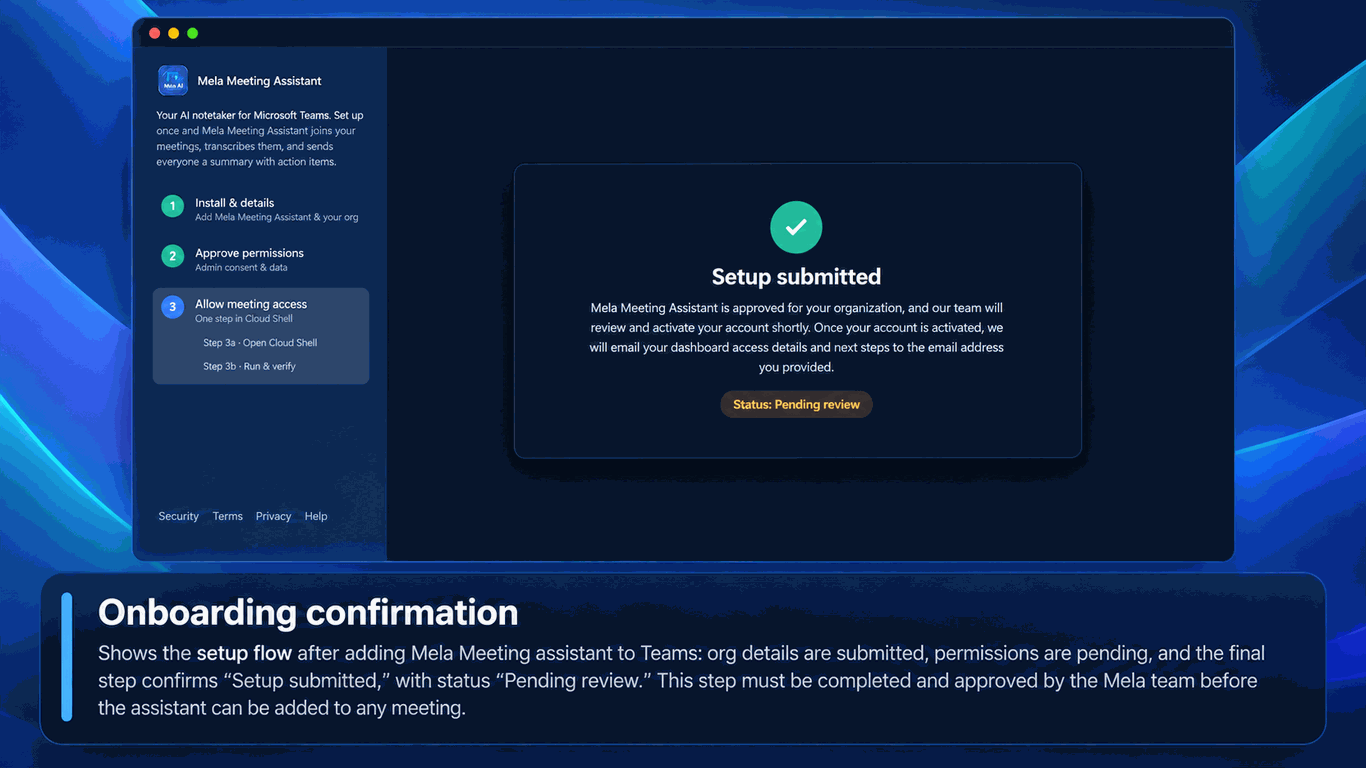
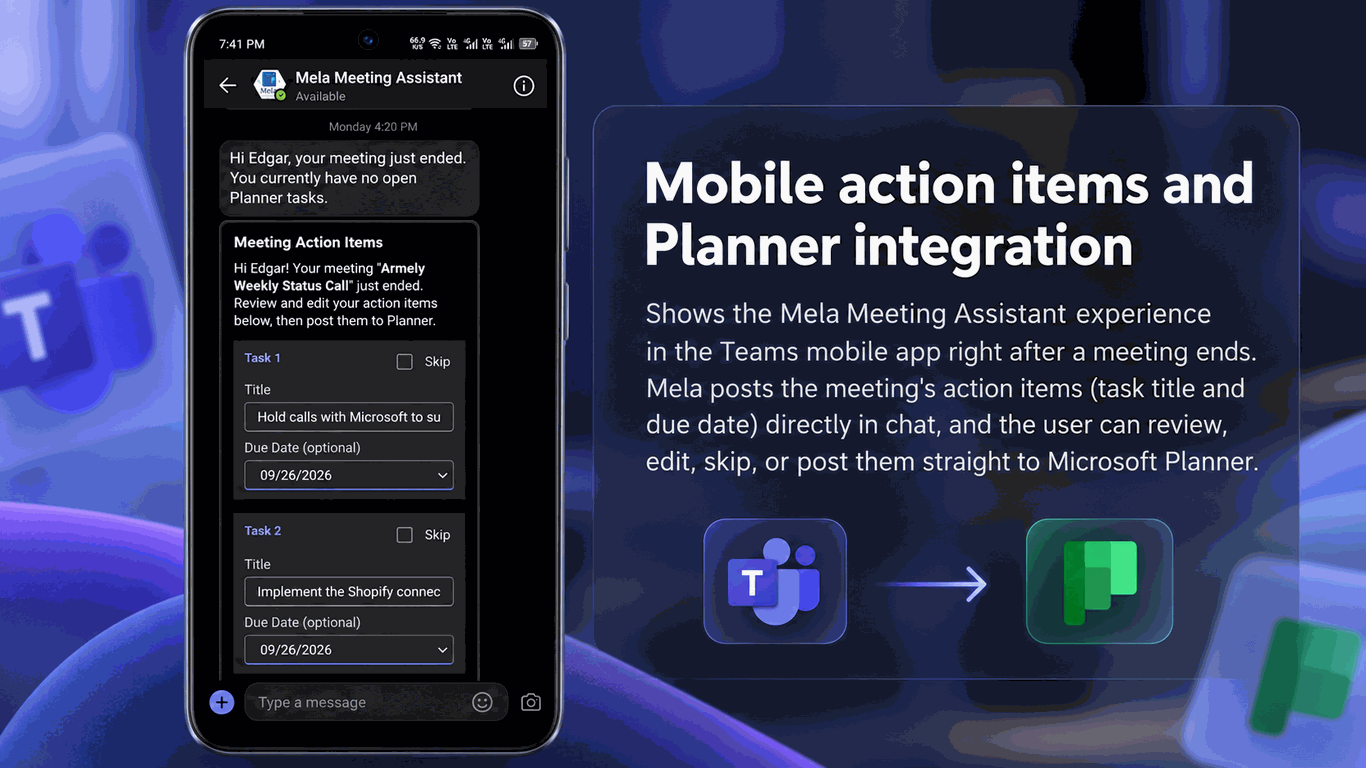
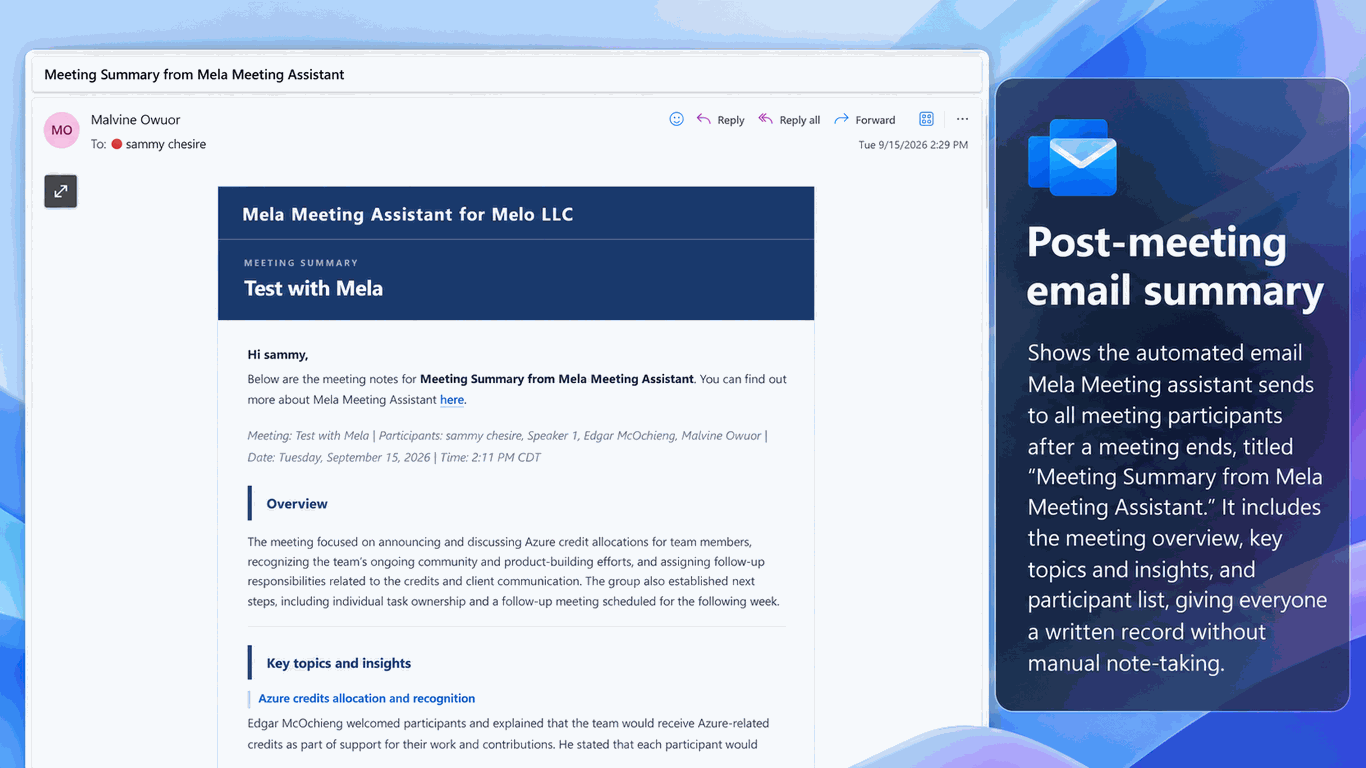
Mela understands your meetings, captures important discussions, identifies decisions, and helps your teams move from conversations to execution.
Capture meeting conversations automatically with AI-powered transcription designed for modern collaboration.
Understand who said what with speaker-aware transcripts that make meetings easier to review.
Automatically identify decisions, owners, commitments, and follow-up actions from every discussion.
Quickly find past conversations, decisions, and action items across your organization's meeting history.
Extend meeting intelligence across your workflow with integrations for Planner, Jira, Salesforce, Asana, SharePoint, and other business systems.
Designed to work within your Microsoft ecosystem using existing collaboration tools.
Control access and protect meeting information using enterprise permissions.
Keep business conversations protected with enterprise-grade security practices.
Expand meeting intelligence into the tools your organization already uses.
| Capability | Standard Teams | 3rd-Party Bots | Mela Meeting Assistant |
|---|---|---|---|
| Meeting Participation Control | Requires starting a full recording session or manual note taking. | Automatically joins meetings and remains present for the entire call. |
On-Demand Control: Use @mela please join when needed and
@mela please leave when private discussions begin.
|
| Recording Privacy Control | Limited control once recording begins. | Captures the entire meeting, including conversations where the bot is not needed. |
Flexible Privacy: Pause and resume capture using @mela pause recording and
@mela unpause recording.
|
| Live Meeting Assistance | Requires participants to manually review notes. | Provides transcripts but limited real-time interaction. |
Real-Time Meeting Intelligence: Ask @mela what did last person say to quickly catch up during conversations.
|
| Meeting Summaries & Minutes | Requires manual summary creation. | Generates summaries through external portals. |
Instant AI Notes: Use @mela summarize,
@mela generate minutes,
or @mela fetch transcript.
|
| Task Execution & Follow-Up | Static notes requiring manual copy and tracking. | Creates isolated tasks outside existing business workflows. |
Microsoft Planner Integration: Convert action items into Planner tasks and assign follow-ups directly. |
| Email & Calendar Assistance | Requires switching between applications. | Usually focused only on meeting transcription. |
Microsoft 365 Workflow Assistant: Draft emails, review calendar information, and manage meeting workflows. |
| Command Discovery & Support | Requires searching documentation. | Limited command-based interaction. |
Built-In Help: Type @mela help to view available commands and guidance.
|
| Data Governance | Standard Microsoft storage and compliance controls. | Meeting data may be processed outside your Microsoft environment. |
Microsoft 365 Native: Designed to operate within your organization's Microsoft ecosystem. |
Mela deploys using standard Microsoft 365 governance with no third-party software installation, no infrastructure overhead, and complete IT admin control.
Add Mela to your Microsoft Teams Admin Center as an approved organizational app.
Authorize standard Microsoft Entra ID permissions via a single OAuth consent link.
Enable meeting access policies across your enterprise using standard Teams admin controls.
Armely activates your Tenant ID on our secure allowlist for instant meeting access.
Mela offers flexible per-user monthly plans and flat organizational tenant licensing. Pricing scales based on your team size and active meeting volume with zero hidden setup fees.
Mela natively syncs out-of-the-box with Microsoft Planner and Teams. Custom integrations for Jira, Slack, and Asana are available for Enterprise pilot clients upon request.
No additional Microsoft Copilot or Teams Premium add-on licenses are required. Mela integrates directly with your standard Microsoft Teams and Planner setup.
Deployment takes under 10 minutes. Your IT administrator adds Mela to the Teams Admin Center, approves Entra ID consent, and enables meeting policies.
Embed intelligent automation into your daily Microsoft 365 workflow today.
Start Free IT Trial Schedule a DemoBook a free 30-minute discovery call. We will review your Microsoft 365 environment and recommend the right Mela Meeting Assistant pilot for your team.