
A walkthrough of how we took two Power Platform artifacts, a customer-facing support portal and an internal triage app, and brought them both under a single source-controlled workflow.
The two windows on the same room
Open two browser tabs.
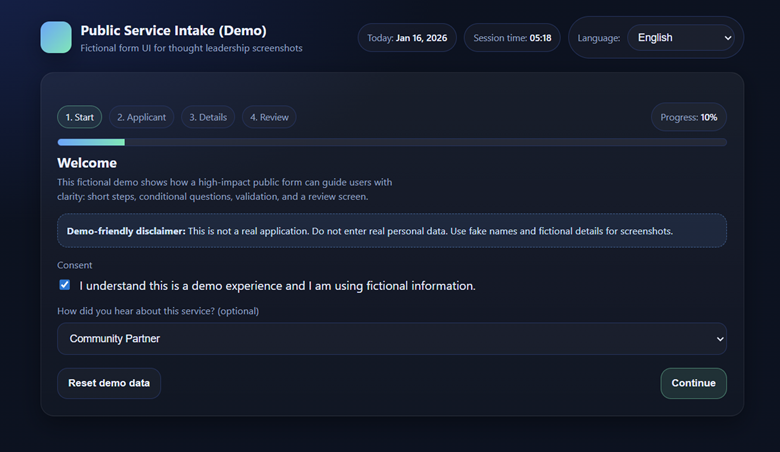
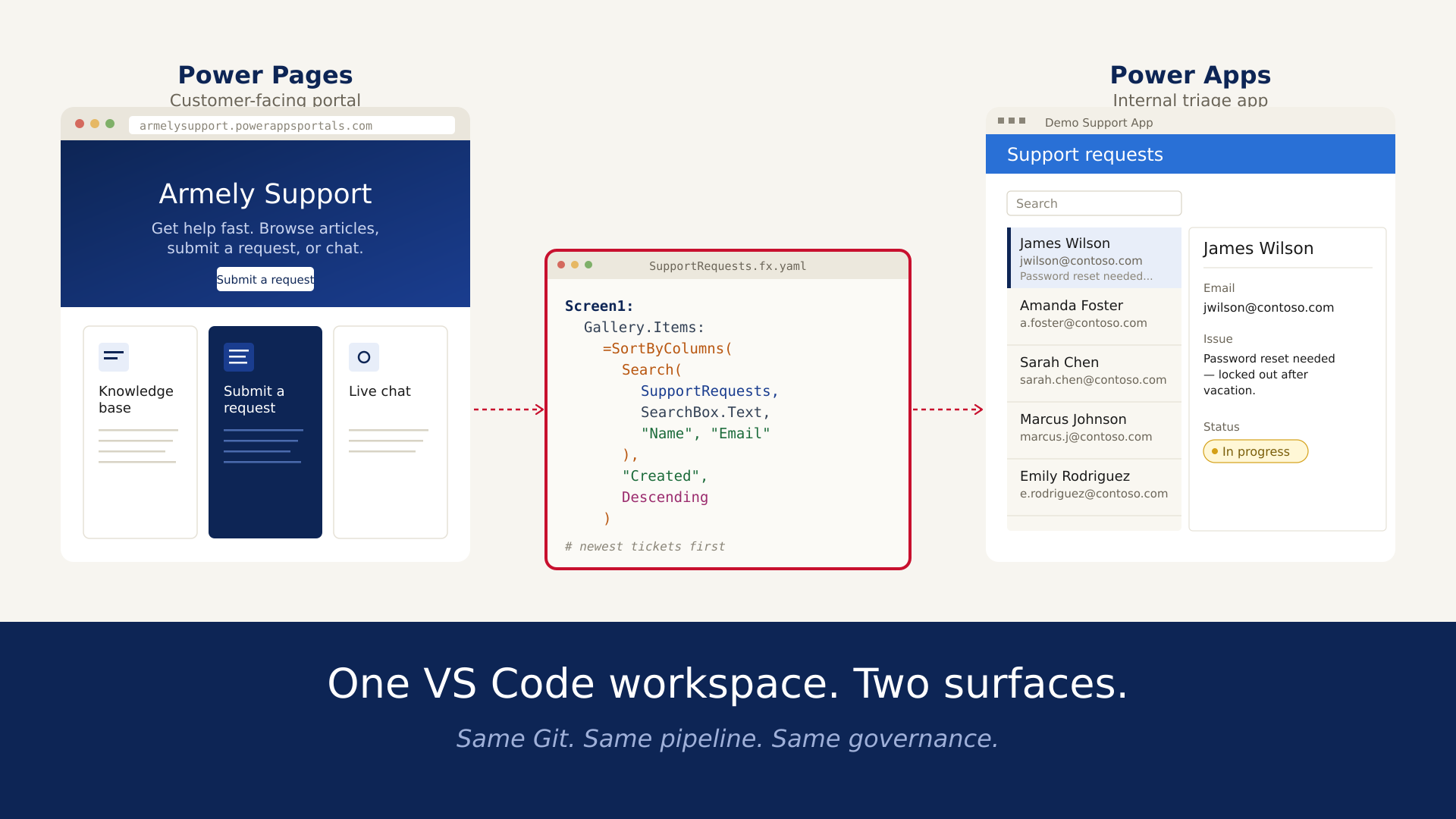
In the first, armelysupport.powerappsportals.com - our support portal. A hero, three cards (Knowledge Base, Submit a Request, Live Chat), a contact form. A customer who can't log into their account lands here, fills the form, and goes back to their day.

In the second, our internal Demo Support App. A tidy list down the left — James Wilson, Amanda Foster, Sarah Chen, Marcus Johnson — and a detail pane on the right showing the selected ticket: name, email, issue description, status. Our support team lives here. They click James's row, see "Password reset needed — locked out of account after vacation," change the status from New to In Progress, and start working.

Two different surfaces. Two different audiences. One shared truth in the middle - a Dataverse table called SupportRequests, one row per ticket. The customer writes to it from the portal. The support team reads and updates it from the Canvas app. That's the whole system.
Now here's the part we want to talk about: both of those surfaces live in the same VS Code workspace. The portal is a folder of HTML, CSS, and Liquid. The Canvas app is a folder of YAML. Same Git repo. Same pull requests. Same pipeline. No context switch between the browser-based maker portal and the "real" IDE - because for us, the real IDE is where everything happens.
This post walks through how that works, what it looks like on disk, and where the sharp edges are.
The usual way, and why we moved off it
If you've built on the Power Platform for any length of time, you know the default workflow. You open the maker portal in a browser, click around, drag controls, type formulas into a side panel, hit Save, hit Publish, and your change is live. It is genuinely fast for the first version of anything.
It breaks down on the second version.
Two makers editing the same canvas app can't merge their work, one of them will lose it. There's no diff. There's no "show me what changed between last Thursday and now." A broken deployment doesn't roll back, it gets fixed forward, usually under time pressure, usually by one person who knows the app well enough to remember what the old version looked like. Testing means manual clicking. Review means a screen-share.
None of that is a complaint about low-code. It's just that low-code was never designed to be the permanent home of a system that matters. The moment an app graduates from "someone's experiment" to "something the business depends on," you need the machinery that every other production system has: branches, pull requests, CI, rollback, audit. You need the app to be in Git.
The Power Platform CLI, pac, makes that possible. It takes a Canvas app out of its binary .msapp container and turns it into a tree of YAML files. It takes a Power Pages site out of Dataverse storage and writes it to disk as HTML, CSS, and Liquid. Once the artifacts are files, the rest of the modern toolchain, VS Code, Git, pipelines, just works.
What the portal looks like on disk
The Armely Support Portal is a Power Pages site. In the browser, it's a polished marketing-style page with a blue gradient hero and three cards. On disk, after we pulled it down with
bash

it's this:

Nothing exotic. If you've shipped a static site in the last decade, you recognise every file. The Liquid templating inside the .webtemplate.source.html files is the same Liquid that powers Shopify and Jekyll. The CSS is plain Bootstrap with our overrides. The .yml files hold metadata, page titles, parent pages, access rules, the kind of thing a CMS would store in a database and we'd normally never see.
Here's what matters for the workflow: this folder is a Git repository. git init, commit, push to Azure DevOps. Our senior engineer reviews pull requests on it. Our branching strategy is identical to every other repo at the company. A marketing team member who wants to change the hero copy opens a branch called brand/hero-copy, edits one line in home.webpage.copy.html, pushes, and a pipeline takes it from there.
To push a change back to the live site, the command is symmetric with the download:
bash

It takes under a minute to deploy the whole site. We've never needed a "staging" Pages environment for small brand changes, the PR review is the staging. For larger changes, new page templates, auth flow changes, we do round-trip through a non-prod environment, and the pipeline automates it.
One detail worth calling out
Power Pages uses a lot of Dataverse metadata under the covers, every page, every template, every content snippet exists as a row in a Dataverse table. When pac pages download writes these to disk, it also writes YAML sidecar files that hold the GUIDs and relationships. Don't hand-edit those. Let the CLI manage them. The HTML, CSS, Liquid, and the content inside the YAML are yours to edit. The identifiers aren't.
We learned this by hand-editing a webpage.yml once to rename a page and watching pac pages upload create a duplicate. Fix is easy, delete the stray page in the portal, re-download, try again. But it's worth knowing before you try it.
What the Canvas app looks like on disk
The Demo Support App is a Canvas app. In Power Apps Studio, you see screens, galleries, labels, connections to Dataverse. You drag things. You type Power Fx into a formula bar.
On disk, after
bash

it's a tree of YAML files — one per screen, plus shared components, plus a manifest:

Open SupportRequests.fx.yaml and you see something like this:

That is the screen. Every control, every property, every Power Fx expression, just text. You can grep for SupportRequests across the whole app in VS Code's sidebar and see every place the table is referenced. You can diff two versions of a formula. You can resolve a merge conflict with standard tooling.
The thing that made us a believer
The first week we had the Canvas app in Git, someone reported that the search box wasn't filtering properly. On the old workflow, debugging this would mean opening the app in Power Apps Studio, clicking the gallery, reading the Items property in the tiny formula bar, and reasoning about it in isolation.
On the new workflow, one developer opened SupportRequests.fx.yaml, saw that Items was set to just =SupportRequests, no search filter at all, and that the previous author had dropped the Search() wrapper during an earlier edit. They fixed it with the expression above, committed to a branch, the reviewer approved it, and it shipped.
Total time: under ten minutes. No Studio. No screen-share. No "can you hop on a call to show me what you mean." Just code review. That's the moment this stopped being a neat experiment and started being how we work.
The catch: unpack/pack is not perfect
pac canvas unpack is officially "experimental" (it's been that way for a while, and it works well, but the label matters). Two things to know:
- Formatting of the generated YAML is opinionated. You don't have full control over how formulas are broken across lines. For review, this is fine. For ruffling the feathers of a linter, plan accordingly.
- Round-tripping is only safe for canvas apps authored in Power Apps, not for apps heavily customised by components you don't control. If you're pulling in a third-party PCF component, its internals stay binary. You can still unpack and edit the app around it — just be aware the component itself is a black box.
We haven't hit a case where pac canvas pack produced a broken .msapp from a clean unpack, but we commit the .msapp alongside the YAML in our repo anyway, belt and braces.
The shared pipeline
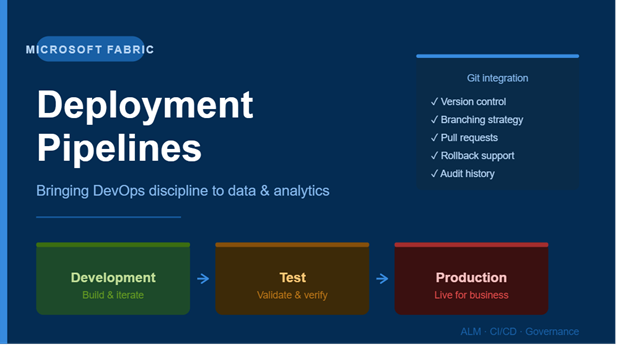
Both projects, portal and Canvas app, sit under one Azure DevOps repo. The pipeline has the usual shape:

The specifics of each stage:
- Solution checker runs automatically on every PR. It catches things like apps calling deprecated connectors, Pages templates with malformed Liquid, and solution policy violations. Non-blocking warnings post as PR comments; blocking errors fail the build.
- Pack produces deployable artifacts: .msapp for the Canvas app, a packaged Pages site.
- Deploy to UAT uses the Power Platform Build Tools tasks, PowerPlatformImportSolution for the solution containing the app, pac pages upload wrapped in a script step for the portal. Two separate jobs, because the two artifacts import through different mechanisms.
- Approval gate on PROD is an Azure DevOps manual approval, any deploy to the production environment requires a named approver to click through. We bundle this with an automated Teams message to the approver.
- Deploy to PROD runs only after the approver signs off.
A full trip from merged PR to production is about eight minutes for the Canvas app, about four for the portal. A failed deploy, bad solution, missing environment variable, surfaces in the pipeline output with the same diagnostics you'd get from any Azure Pipelines run. A rollback is a git revert, a re-run of the pipeline, and back to the previous good state.
Environment variables and secrets
Connection strings, API keys, external URLs, none of that lives in the repo. We use environment variables in the solution, resolved at deploy time from a lookup table per environment. The pipeline injects the right values into the right environment. A developer looking at the repo sees {{APIEndpoint}} in the app's YAML, not the actual endpoint. A customer looking at the portal sees a working integration, because by the time the page renders, the variable has been resolved server-side.
This isn't specific to the VS Code workflow, it's just good practice, but it matters more when the repo becomes accessible to more people, as it does with pro-code workflows.
What we'd tell a team starting this today
A few things we wish we'd known on day one:
Start with one app, not everything. Pick the app whose next release you're most nervous about, and bring that one under source control first. Live with the workflow for two sprints. You'll figure out your own branching conventions, PR templates, and deploy cadence before you try to migrate a portfolio.
Commit the binary alongside the unpacked source. For canvas apps, commit the .msapp as well as the unpacked YAML. It's a few hundred KB, it's a backstop if an unpack/pack round-trip ever misbehaves, and it gives you a one-click "restore exactly this version" option.
Don't try to review pixels in code review. YAML diffs are brilliant for formula changes, screen logic, connector references, Dataverse bindings, the stuff that actually breaks in production. They're less useful for "did the padding on that label move four pixels." For visual changes, attach a screenshot to the PR and have the reviewer run the packed .msapp locally. Use the right tool for the right job.
Document the "how to run this locally" path. Your devs will need: the Power Platform Tools VS Code extension, the pac CLI authenticated to a dev environment, and a one-page README with the commands to unpack, make a change, repack, and push. Write it once. Link to it from the repo root. New team members will thank you.
Keep using the maker portal for what it's good at. Rapid prototyping, small tweaks by non-developers, visual tuning. The moment something is destined for production, move it to the repo. That's the dividing line, not "low-code bad, code good," but "throwaway in the browser, durable in the repo."
What this isn't
VS Code editing doesn't replace the Power Platform. It doesn't turn Power Fx into TypeScript or make Pages into React. It doesn't remove the need to understand Dataverse, security roles, or connector licensing. Those things are unchanged.
What it replaces is the assumption that Power Platform artifacts have to live in the browser forever. They don't. Once you see a canvas app as YAML and a Pages site as a folder, the entire software engineering toolchain you already have is available to you.
Both of our surfaces, the customer-facing Support Portal and the internal Demo Support App, went through this migration in the same week. One repo, one pipeline, one way of making changes. Our support team hasn't noticed any difference; they see the same app. Our customers haven't noticed any difference; they see the same portal. But our developers know exactly what changed last Tuesday, who approved it, and how to put it back the way it was.
That's all we wanted.
Armely builds internal tools and customer-facing systems on the Power Platform. If you've tried something similar and learned something we didn't, we'd genuinely like to hear about it.