

Why SQL Server Backups Break During Recovery, and How to Prevent It
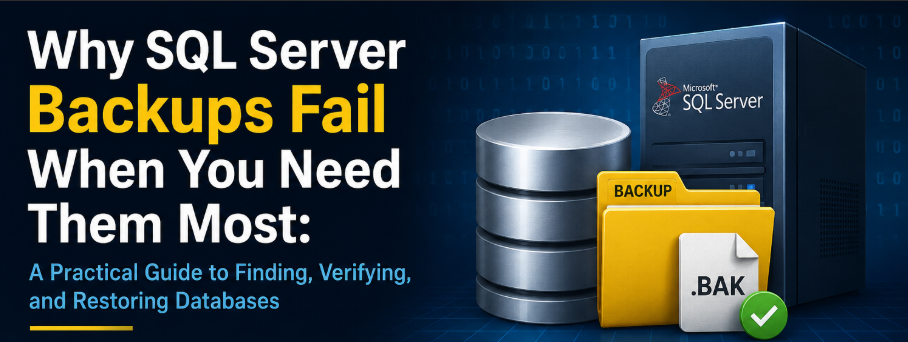
SQL Server backups are only useful when they can be found, verified, and restored correctly. A backup file on disk does not guarantee recovery. The restore path depends on the backup type, recovery model, file location, restore order, and backup chain integrity.
This guide explains how to review backup history in SQL Server Management Studio, validate backup files, and restore databases using the correct sequence.
What You Need Before You Start
- Access to SQL Server Management Studio.
- Permission to query the msdb database.
- Permission to read the backup folder.
- A non-production SQL Server instance for restore testing.
- The database name and expected backup location.
Main SQL Server Backup Types
|
Backup type |
What it captures |
Common file extension |
Restore role |
|
Full |
Entire database at the time of backup |
.bak |
Starting point for most restores |
|
Differential |
Changes since the last full backup |
.bak |
Restored after the full backup |
|
Transaction log |
Log records since the last log backup |
.trn |
Restored in sequence for point-in-time recovery |
|
Copy-only |
Ad hoc backup that does not reset the normal backup sequence |
.bak |
Useful for testing or migration snapshots |
1. Full Backup
A full backup captures the complete database. It is the base backup used for most restore operations.
|
BACKUP DATABASE YourDatabaseName |
2. Differential Backup
A differential backup captures changes made since the most recent full backup. It helps reduce restore time because you only need the full backup and the latest valid differential backup.
|
BACKUP DATABASE YourDatabaseName |
3. Transaction Log Backup
A transaction log backup captures log records since the previous log backup. It is available when the database uses the Full or Bulk-Logged recovery model. It supports point-in-time recovery and helps control transaction log growth.
|
BACKUP LOG YourDatabaseName |
4. Copy-Only Backup
A copy-only backup is useful when you need an ad hoc backup without changing the normal backup sequence. A copy-only full backup does not reset the differential base.
|
BACKUP DATABASE YourDatabaseName |
Recovery Models
The database recovery model controls which restore options are available. Check recovery models before deciding whether transaction log backups are required.
|
SELECT |
|
Recovery model |
Supported backup types |
Main restore behavior |
|
Simple |
Full and differential |
No transaction log backups, no point-in-time restore |
|
Full |
Full, differential, and transaction log |
Supports point-in-time restore when the log chain is complete |
|
Bulk-Logged |
Full, differential, and transaction log |
Some bulk operations may limit point-in-time restore |
How to Find Backup History in SSMS
SQL Server stores backup history in the msdb system database. The most useful tables for backup review are msdb.dbo.backupset and msdb.dbo.backupmediafamily. The backupset table stores backup metadata. The backupmediafamily table stores the physical backup path or device name.
|
SELECT TOP 50 |
Use this result to confirm when backups ran, which type was created, how large the backup was, and where the file was written.

Latest Backup Per Database
Use this query when you need a quick server-level view of the latest full, differential, and transaction log backup per database.
|
WITH BackupHistory AS |

How to Take a Full Backup in SSMS
- Open SQL Server Management Studio and connect to the SQL Server instance.
- Expand Databases.
- Right-click the database you want to back up.
- Select Tasks, then Back Up.
- Set Backup type to Full.
- Confirm the destination path and file name.
- Click OK to start the backup.
- Check the Messages tab or SQL Server Agent job history to confirm success.

How to Verify a Backup File
RESTORE VERIFYONLY checks whether SQL Server can read the backup file and whether the backup set appears complete. It does not replace a real restore test, but it is a useful first validation step.
|
RESTORE VERIFYONLY |
How to Restore a Full Backup
Use a test database name when practicing restore commands. Use WITH REPLACE only when you intentionally want to overwrite an existing database.
|
RESTORE DATABASE YourDatabaseName |
Restore Sequence for Full, Differential, and Log Backups
When restoring a database with multiple backup types, the order matters. Restore the full backup first, restore the latest valid differential backup next, and then restore transaction log backups in the correct order.
|
RESTORE DATABASE YourDatabaseName |
Common Backup and Restore Issues
|
Issue |
What to check |
Typical fix |
|
Backup file is missing |
msdb backup history and physical_device_name |
Correct the backup path and permissions |
|
File name is unclear |
Backup naming pattern |
Use database, backup type, date, and time in the file name |
|
Backup failed due to disk space |
Free space on the backup drive |
Add space, clean old files, or use compression |
|
Antivirus blocks backup files |
Security software activity on backup folders |
Review exclusions with the security team |
|
Restore fails because database is in use |
Active user sessions |
Use SINGLE_USER with ROLLBACK IMMEDIATE |
|
Differential backup is missing |
Full backup and log backup sequence |
Restore full backup and all valid log backups in order |
|
Transaction log backup is missing |
Log chain continuity |
Restore only up to the last valid log backup |
|
COPY_ONLY confusion |
Whether the backup resets the differential base |
Do not restore a differential backup on top of a copy-only full backup |
Set Database to Single-User Mode Before Restore
Use this when a restore fails because users or applications are connected to the database.
|
USE master; |
Recommended File Naming Pattern
Clear naming makes recovery faster and reduces the risk of restoring the wrong file.
|
DatabaseName_BACKUPTYPE_YYYYMMDD_HHMM.extension |
A SQL Server backup plan should not stop creating backup files. A reliable plan confirms backup history, validates backup files, documents the restore sequence, and tests restores before an emergency.