

Organizations are under increasing pressure to create secure, scalable, and user-friendly online experiences for both internal and external users. Microsoft Power Pages, part of the Microsoft Power Platform, answers that call with a low-code SaaS solution tailored for building robust, data-driven business websites.
This blog explores the key features, architecture, and capabilities of Power Pages, how it integrates with the broader Microsoft ecosystem, and why it's fast becoming the go-to solution for governments, financial institutions, healthcare providers, and enterprises worldwide.

What is Power Pages?
Power Pages is an enterprise-grade, low-code platform that enables the creation of secure, responsive websites that connect seamlessly with your business data. Power Pages lets you build external-facing web applications to serve customers, partners, or community users.

Why Choose Power Pages?
◾Speed & Simplicity: Quickly launch functional websites with a drag-and-drop interface.
◾Security & Compliance: Built on Microsoft Azure, with native support for identity, role-based access, and compliance standards like GDPR.
◾Integration: Native integration with Microsoft Dataverse, Power Apps, Power Automate, Power BI, and Power Virtual Agents.
◾Scalability: Designed to scale from a handful of users to millions globally.

Power Pages as a Portal
Power Pages is the evolution of what was previously known as Power Apps Portals, Microsoft’s external-facing website platform. As a modern low-code portal builder, Power Pages brings together the robust functionality of portals with a brand-new design studio and enhanced capabilities.
What Does This Mean in Practice?
◾External Engagement: Power Pages lets organizations securely expose Dataverse data to customers, partners, students, patients, or citizens via public-facing websites.
◾Authentication & Roles: Users can sign in (or browse anonymously) and interact with secure data, personalized dashboards, forms, or content based on role-based access.
Portal Use Cases
◾Customer Self-Service Portals
◾Registration & Booking Platforms
◾Citizen Service Portals
◾Partner Collaboration Sites
◾HR or Vendor Portals
Modern Capabilities (vs. Classic Portals)
|
Power Apps Portals (Legacy) |
Power Pages (Modern) |
|
Classic designer experience |
New Design Studio with WYSIWYG editor |
|
Manual ALM setup |
GitHub & Azure DevOps CI/CD integration |
|
Same Dataverse backend |
Same backend with better authoring UI and governance tools |
|
Limited responsive control |
Fully responsive out-of-the-box |
Power Pages = Portal + Design Studio + Governance
So, when you hear Power Pages, think of it as Power Apps Portals reborn — with improved authoring, security, scalability, and extensibility for external web applications.

Key Capabilities of Power Pages
1. Website Maker Experience
Create professional-grade websites with intuitive tools, templates, and theming. Makers can:
◾Use prebuilt templates.
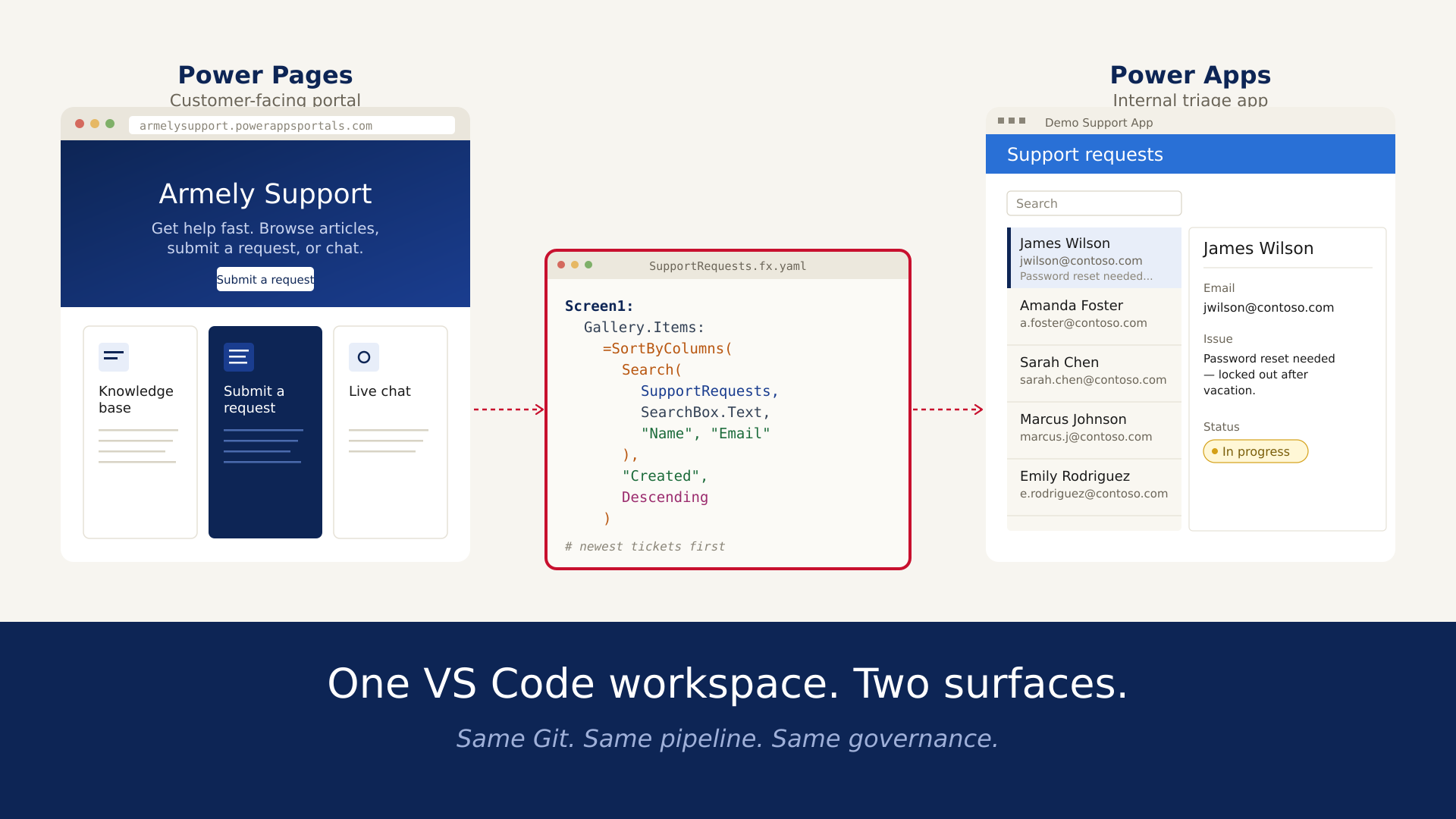
◾Customize designs with Visual Studio Code.
◾Integrate source control via GitHub and Azure DevOps.
2. Enterprise-Grade Platform
Behind the scenes, Power Pages offers:
◾Dataverse-backed data model for secure and scalable storage.
◾Built-in authentication using Azure AD, Google, Facebook, LinkedIn, and more.
◾Role-based access control using Web Roles, Table Permissions, and Page Permissions.
3. Seamless Microsoft Integration
◾Power BI: Embed dashboards for data visualization.
◾Power Automate: Automate workflows triggered from form submissions.
◾Power Virtual Agents: Integrate chatbots to guide users or answer FAQs.
Architecture & Security Power Pages is hosted on Azure and leverages features like:
◾Web Application Firewall (WAF) for defense against common web attacks.
◾Business Continuity and Disaster Recovery (BCDR) with geo-redundancy.
◾Elastic Scaling to handle burst traffic (e.g., 18,000 requests per second).
Hyper Scale and Edge Caching using Azure CDN.

More on architecture: Power Pages Architecture
Licensing & Pricing
Microsoft Power Pages offers flexible licensing options to accommodate various organizational needs, whether you prefer predictable subscription plans or a pay-as-you-go model.
Subscription Plans
- ◾Authenticated Users:
- Tier 1: $200 per month for 100 users per site.
- Tier 2: $75 per month per pack for 10,000+ users (100 packs).
- Tier 3: $50 per month per pack for 100,000+ users (1,000 packs).
- Included Storage: 2 GB Dataverse database and 16 GB file capacity per subscription plan.
- ◾Anonymous Users:
- Tier 1: $75 per month for 500 users per site.
- Tier 2: $37.50 per month per pack for 10,000+ users (20 packs).
- Tier 3: $25 per month per pack for 100,000+ users (200 packs).
- Included Storage: 0.5 GB Dataverse database and 4 GB file capacity per subscription plan.
Note: Unused capacity does not carry over to the next month. Capacity packs must be assigned to an environment.
Pay-as-You-Go Plans
◾Authenticated Users: $4 per active user per site per month.
◾Anonymous Users: $0.30 per active user per site per month.
Active users are counted once per month per site, regardless of the number of visits.
For more detailed information, refer to the Power Pages Pricing page.
Authentication & Authorization Power Pages supports advanced identity scenarios:
◾Authentication protocols: OpenID Connect, OAuth 2.0, SAML, WS-Fed.
◾Identity providers: Azure AD, Azure B2C, Okta, Auth0.
◾Authorization: Assign Web Roles and permissions at the page or data level.
Documentation:
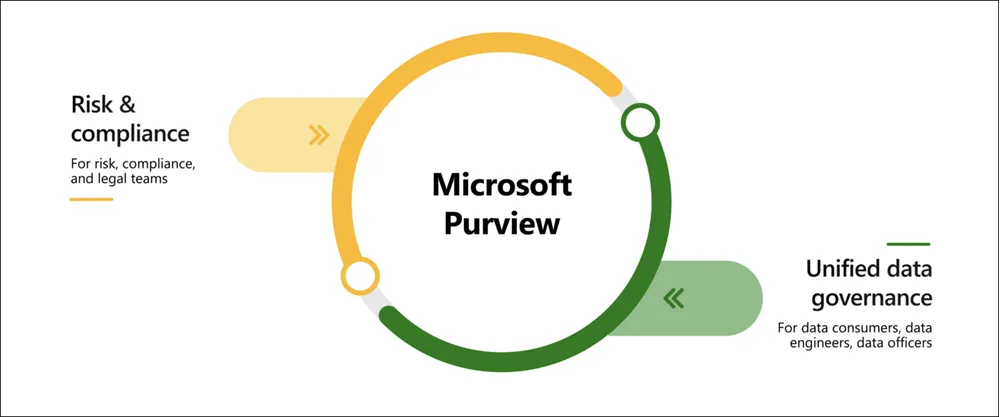
Compliance & Governance Power Pages provides industry-specific compliance out-of-the-box, including:
◾GDPR
◾HIPAA
◾FedRAMP
◾European Union Data Boundary compliance
Manage security and privacy settings using:
Power Pages is not just a web development tool. It's a fully integrated, secure, and scalable digital experience platform. By bridging low-code simplicity with enterprise-grade features, Power Pages empowers organizations to launch powerful, compliant, and high-performing business websites that are ready for the demands of today’s digital economy.
Start building with Power Pages today:powerpages.microsoft.com